
Wax, wax/resin or resin: how to choose a thermal transfer ribbon
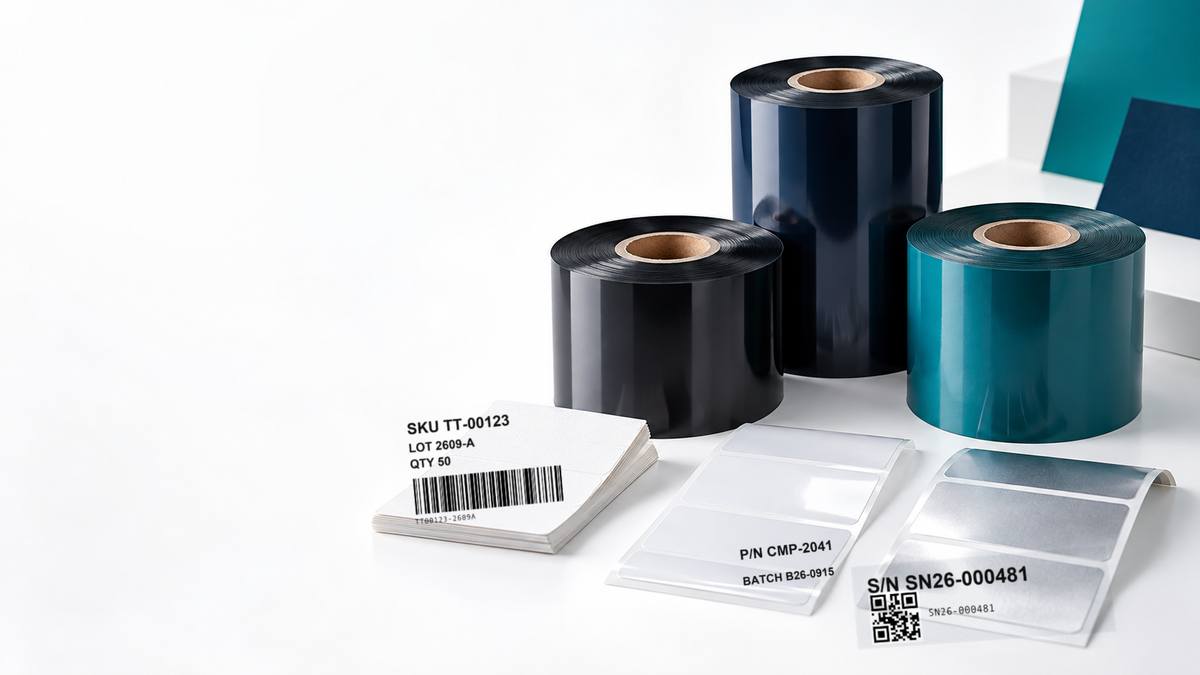
The ribbon that works on a carton label may be a poor match for a product nameplate. Start with the label material and the conditions the printed image must survive, then test the complete printer–ribbon–label combination.
What does the ribbon do?
In thermal transfer printing, the printhead transfers ink from a ribbon onto a label or package. Ribbon selection affects print clarity and durability, but the label face stock, adhesive, printer settings and handling also matter. A ribbon alone cannot make an unsuitable label adhesive survive cold storage or chemicals.
Compare the three main families
| Family | Typical starting point | Check before buying |
|---|---|---|
| Wax | Paper carton, shipping and shelf labels where cost and print speed matter | Scuffing, rubbing, storage conditions |
| Wax/resin | Coated paper or selected synthetics needing more handling resistance | Substrate match, scan quality, expected wear |
| Resin | Film and durable labels exposed to abrasion or selected chemicals | Exact film, exposure, required lifespan and printer settings |
Typical starting grades: wax TDW108, TDW133 or TDW121 for paper warehouse labels; wax/resin TDM240P, T209 or TDM238 for coated paper and synthetics; resin TDR330, TDR325 or TDR345 for PET and chemical exposure. TDR330 and TDR320 print on both paper and PET/PVC.
These are selection guides, not guarantees. Products within a family differ. Todaytec's portfolio separates wax, wax/resin, resin, near-edge/TTO, wash-care, hot-stamping and colour ribbon lines; the last four serve different print processes, use cases or finishes and should not be substituted on family name alone.
A five-step selection test
- Record the label face stock: uncoated paper, coated paper, synthetic paper or film.
- Record printer model, printhead type, ribbon width and core, speed and darkness settings.
- List real exposures: rubbing, condensation, oil, heat, cleaning agent or outdoor light, with time and severity.
- Print the smallest actual barcode and text. Check first-pass scan rate with the intended scanner, then repeat after the relevant handling or exposure.
- Confirm availability and total running cost only after the sample passes.
For a warehouse carton, begin with a suitable wax grade and test on the actual paper. For a frequently handled coated label, trial wax/resin. For a film nameplate with demanding exposure, trial a resin grade. Ask Todaytec for a matched sample and datasheet rather than choosing by price alone.
Begin with the label, not a ribbon catalogue
Ask the label supplier for the face-stock description rather than relying on the word "paper" or "plastic." An uncoated paper shipping label, a smooth coated paper label and a polyester film can respond differently to the same ribbon. The adhesive matters too, although it is a separate part of the construction: a clear print cannot compensate for a label that lifts from a cold or oily surface. Keep a sample from the production batch because a later change in coating can change the result.
Next, describe the label's purpose and intended lifetime. A carton identifier may only need to survive dispatch and delivery. A shelf label may be handled repeatedly. A serial-number plate may need to remain legible for years. These are different acceptance tests. Write down when the label is printed, when it is applied, who handles it and how it will be scanned. This simple workflow map prevents a selection based only on the most impressive durability claim in a catalogue.
Check the printer and print quality together
Confirm whether the printer uses a flat-head or near-edge printhead. Check ribbon width, winding direction, core, printer resolution and print speed with the printer supplier. A ribbon of the right chemistry but wrong dimensions or winding cannot be put into a valid production trial.
Print the real artwork, not a large sample logo. Include the smallest text, the narrowest barcode bars and the densest QR code you intend to use. Record darkness and speed settings, then inspect edge sharpness, missing lines, voids and background marks. Test with the scanner and distance used at the worksite.
Define durability as a test, not an adjective
"Durable" has little meaning without an exposure and a pass criterion. For handling resistance, state what rubs against the print, how often, and whether the code must still scan afterward. For a cleaner or oil, identify the liquid, contact time and wiping method. For temperature or moisture, describe the full cycle, including condensation after removal from cold storage. UV exposure and outdoor weathering require their own test. A result on one label material does not automatically transfer to another.
Make at least two samples of each candidate and retain an unexposed control. Photograph the printed code before the trial and after each relevant step. A quality owner can then compare results against a written pass criterion instead of relying on memory.
Compare total cost after the sample passes
Ribbon unit price is only one part of operating cost. Consider metres per roll, label yield, printer changeover time, rejected labels, reprints and the cost of an unreadable code. A cheaper ribbon that needs repeated printing or causes missed scans may cost more in the workflow. Compare candidates on the same label and printer, at the same settings, before judging cost.
For procurement, request the exact grade name, compatible printer configuration, current datasheet and a sample roll. Specify the label stock and the failure you are trying to prevent. Keep the approved combination in the purchasing record so a later substitution triggers a new print and scan check.
Frequently asked questions
Print output is missing, blurry, or easy to scratch off? Check two things first: whether the ribbon type suits the label material, and whether the printhead temperature is set correctly — each ribbon type needs its own heat setting matched to the printer and label.
Can one ribbon print on both paper and PET/PVC labels? Standard ribbons are usually limited to one type of material. Resin ribbons TDR330 and TDR320 are the exception: both are designed to print effectively on paper and on PET/PVC.
Carton labels print well but scratch off during handling? This usually points to ribbon adhesion rather than the printed image. Todaytec suggests TDW121, TDW136 or TDM240P for cartons and pallets — fast printing at a reasonable cost.
Do Zebra or Godex printer users need special ribbons? No. Thermal transfer ribbons are compatible with Zebra, TSC and Godex printers, as long as the ribbon type is matched to the label material.
Guides by industry
- Warehouse label ribbon guide
- Manufacturing label ribbon guide
- Cold-chain and frozen label ribbon guide
- Automotive label ribbon guide
- Electronics label ribbon guide
Next: See the warehouse and logistics, manufacturing and resin collections, then request a ribbon–label matching test.